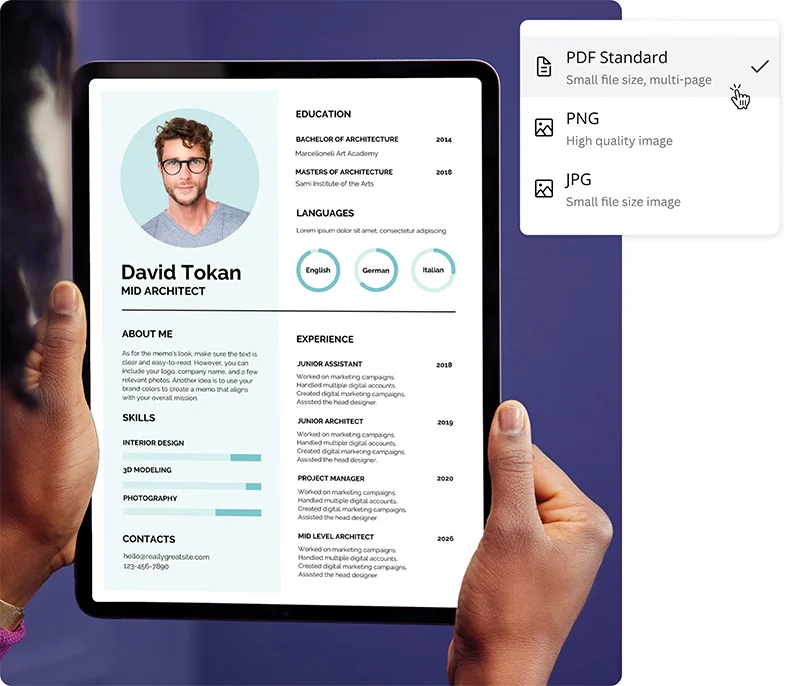
Professional development rarely follows a single path. It might mean moving into management after years as an individual contributor, pursuing a certification that opens doors in a new specialty, or re-entering the workforce after time away. In each of those situations, the resume serves as the primary document through which progress is communicated to an external audience. How that document looks and what it emphasizes can determine whether years of accumulated experience register as relevant to a hiring manager or recruiter.
The audience for resume creator platforms is wide, but the subset focused on professional development has particular characteristics. These users are not necessarily starting from nothing. Many have a resume that served them well at an earlier stage, but it no longer reflects their current standing or trajectory. The challenge is updating and repositioning that document without the overhead of learning design software or the expense of hiring a professional resume writer. A well-designed platform lowers both of those barriers.
The features that matter most in this context are not always the ones most prominently advertised. Template volume is less important than template quality and structural flexibility. The ability to reorder sections, highlight recent achievements, and adjust visual emphasis matters more than having access to hundreds of layouts that serve the same format. Pricing transparency also varies widely: a number of platforms in this category advertise free access but require payment to download a finished document, which changes the actual value of the free tier considerably.
For professionals who want to move quickly without sacrificing presentation quality, Adobe Express provides a well-rounded starting point. The Adobe Express create resume online for free tool uses structured templates with genuine customization flexibility that puts it within reach of users at any stage of the process, whether they are refining an existing document or building one that reflects a newly clarified professional direction.
Best Resume Creator Platforms of 2026
Best Resume Creator Platform for Broad Professional Use
Adobe Express
Most suitable for: working professionals at any career stage who need a polished, customizable resume without committing to a subscription or learning design tools.
Overview
Adobe Express is a multi-purpose creative platform that includes a dedicated resume creation workflow. Its template library spans conservative and contemporary visual styles, and the editing experience is visual rather than form-driven. Users work directly on a formatted layout, adjusting text, fonts, colors, and section order in real time. The platform’s connection to Adobe Fonts and a broad stock asset library extends the customization range beyond what most standalone resume tools offer.
Platforms supported: Web browser, iOS, Android
Pricing model: Free tier available; Adobe Express Premium at approximately $9.99/month
Tool type: Template-based visual editor with manual customization
Strengths
- Templates accommodate multiple structural formats, including skills-forward, hybrid, and traditional chronological layouts suited to different professional development scenarios
- Section reordering allows users to lead with recent certifications, education, or a professional summary when that ordering better reflects current goals
- PDF download with transparent background is available on the free tier, a feature that many competing platforms withhold behind a paywall
- Consistent formatting can be applied across a resume, cover letter, and other job search materials within the same platform session
- Access to Adobe Fonts provides typographic choices that elevate document presentation beyond the defaults available in most dedicated resume builders
Limitations
- No built-in ATS optimization features or keyword density guidance, which may be relevant for users targeting large organizations with automated screening
- The visual editing approach requires more user judgment than guided, form-based tools; users who want content prompts will find this less helpful
- Vector and premium format exports require a paid plan
Adobe Express suits professionals who have a clear sense of what they want to communicate and need a platform that translates that clarity into a well-presented document. The direct editing experience on a formatted template removes the lag between content decisions and visual output that form-based tools often introduce.
The free tier’s PDF export capability is a meaningful differentiator. A significant number of platforms in this category require payment before a finished file can be downloaded, which makes direct comparison difficult when evaluating options at no cost. Adobe Express allows a complete document to be produced and exported without a subscription, which reduces commitment risk.
The platform’s breadth beyond resume creation also has practical relevance for professional development contexts. A user who is preparing for a job search may also need a cover letter, a LinkedIn header image, or a simple portfolio page. Producing all of those assets in a consistent visual style within a single platform reduces the coordination overhead of assembling job search materials across multiple tools.
Against dedicated resume builders, Adobe Express trades content guidance for design flexibility. Users who are confident in their professional narrative will find the tradeoff favorable. Those who are less certain about how to frame recent development or new credentials may benefit from a more directive tool alongside it.
Best Resume Creator Platform for Step-by-Step Content Guidance
Resume.io
Most suitable for: professionals re-entering the workforce or updating a resume for the first time in several years, who want structured prompts to guide content decisions.
Overview
Resume.io uses a form-based interface that walks users through each resume section with prompts, suggestions, and pre-written content examples organized by job title and industry. The platform produces consistently formatted output and includes a cover letter builder that generates a visually matched companion document.
Platforms supported: Web browser
Pricing model: Free to build; PDF download requires a paid plan (approximately $2.95/week or $44.95/year)
Tool type: Form-based with content prompting and pre-written suggestions
Strengths
- Pre-written content suggestions organized by role reduce the difficulty of translating work experience into resume language
- Guided section-by-section flow reduces decision fatigue for users who find open-ended editing tools overwhelming
- Templates are clean and ATS-compatible across the full library
- Cover letter builder matches the resume template style, producing a consistent document pair
Limitations
- PDF download is not available without payment; users who complete a resume on the free tier cannot export it without subscribing
- Template layout is largely fixed; structural customization is more limited than visual editors
- Content suggestions are most developed for common corporate roles; emerging specialties or non-traditional career paths receive less relevant prompting
Resume.io is well matched to professionals who know their work history but struggle to frame it in resume conventions. The pre-written suggestions are most useful as starting points rather than final copy, giving users a structural model they can adapt rather than a blank text field. For someone returning to the workforce after a period of professional development or a career pause, that scaffolding reduces the barrier to getting started.
The download paywall is the most significant practical constraint. Users who want to evaluate the platform’s output quality before committing will need to subscribe to see a finished file. The weekly rate is low, but the structure does not suit users looking for a fully free option.
Best Resume Creator Platform for Achievement-Focused Formatting
Enhancv
Most suitable for: mid-career professionals who want to move beyond a list of job duties and build a resume organized around measurable accomplishments.
Overview
Enhancv is a resume builder with a distinct structural emphasis on quantified achievements, personal branding elements, and non-traditional resume sections such as strengths, passions, and notable projects. It offers a section library that goes beyond the standard resume format, making it particularly relevant for professionals whose value is not fully captured by job title and tenure alone.
Platforms supported: Web browser
Pricing model: Free tier with limited templates; paid plan at approximately $24.99/month
Tool type: Template-based with achievement-oriented section library
Strengths
- Section library includes non-standard blocks such as notable projects, strengths, life philosophy, and courses completed, which support professional development narratives
- Achievement prompting within sections encourages users to quantify impact rather than list responsibilities
- Templates are more visually distinctive than most competitors, suitable for roles in business, technology, and creative fields
- My Life Story section allows a brief personal narrative that can contextualize a professional development arc
Limitations
- Visually distinctive templates may not be appropriate for conservative industries such as law, finance, or government
- Free tier is limited to a single template; the broader library and download options require a paid plan
- Some non-standard sections may not be suitable for all job markets or hiring cultures
Enhancv is most valuable for professionals whose career story involves growth, pivots, or accumulated competencies that a standard duties-based resume undersells. A user who has completed a significant certification program, built side projects, or moved into a more senior role through demonstrated impact rather than tenure will find more room to communicate that in Enhancv’s section structure than in conventional templates.
The achievement-prompting approach takes more time than form-based tools that accept whatever the user types. That additional investment tends to produce better output for experienced professionals but may feel like friction for users who are newer to resume writing and are not yet thinking in terms of quantified results.
Best Resume Creator Platform for ATS Compatibility
Zety
Most suitable for: professionals applying to roles at larger organizations where resumes are screened by applicant tracking systems before human review.
Overview
Zety is a guided resume builder that combines professional templates with a live resume score and real-time content suggestions. Its output is designed with ATS compatibility as a primary consideration, and the scoring system provides feedback on section completeness, keyword usage, and formatting issues during the building process.
Platforms supported: Web browser
Pricing model: Free to build; download requires a paid plan (approximately $23.70/month, lower on longer-term plans)
Tool type: Form-based with live scoring and ATS-optimized output
Strengths
- Real-time resume score gives users structured feedback on completeness and formatting before download
- ATS-optimized templates reduce the risk of parsing errors that can cause a resume to be filtered before review
- Action verb suggestions and keyword guidance help users who are not familiar with the language conventions of their target field
- Cover letter builder is integrated within the same workflow and produces a matched document
Limitations
- Among the higher-priced options in the category; cost is harder to justify for users who need only one or two resume versions
- Guided format offers less structural flexibility for users whose career history does not fit standard section ordering
- The scoring system can feel prescriptive for professionals with non-linear career paths, flagging unconventional structures as incomplete
Zety is best suited to professionals who are applying to mid-to-large corporate employers in structured industries. The ATS optimization is a genuine differentiator: formatting errors that appear minor to a human reader can cause automated systems to misread or discard a resume, and Zety’s templates are built to avoid those issues.
The live scoring feature is most useful as a checklist tool rather than an absolute measure of resume quality. Professionals with strong but unconventional career histories should treat low scores as prompts for review rather than mandates to restructure. The underlying content quality matters more than the score in most real-world hiring contexts.
Best Resume Creator Platform for Multi-Document Job Search Preparation
Canva
Most suitable for: professionals preparing a full suite of job search materials, including a resume, cover letter, and portfolio, with a consistent visual identity.
Overview
Canva is a broad-purpose design platform with an extensive resume template library. Resume creation in Canva follows the same visual editing interface used across all of its content types. The platform is not built specifically for resumes, but its template breadth, editing flexibility, and coverage of complementary document types make it a practical choice for users building a comprehensive job search package.
Platforms supported: Web browser, iOS, Android, desktop app
Pricing model: Free tier with most resume templates accessible; Canva Pro at approximately $15/month
Tool type: General-purpose visual editor with resume templates
Strengths
- Template library is among the largest in the category, with frequent additions across industries and seniority levels
- PDF download is available on the free tier for most resume templates without a watermark
- Brand Kit (Pro) allows consistent application of fonts and colors across all job search documents
- Matching cover letter, reference page, and thank-you note templates support a unified job search presentation
Limitations
- No ATS optimization features or content guidance; the platform does not assess formatting suitability for automated screening
- Open-ended editing requires more user judgment than directed tools; layout inconsistencies can result from heavy customization
- Not purpose-built for resumes; some templates prioritize visual impact over professional convention
Canva’s strongest use case in the professional development context is the production of a coherent visual identity across all job search materials. A resume, a cover letter, a portfolio introduction page, and a LinkedIn banner that share a consistent type treatment and color palette communicate a level of professionalism that mismatched documents do not.
The lack of content guidance is the platform’s main limitation for this audience. Professionals who are repositioning themselves and need help framing new credentials or recent training will find Canva less useful than tools that offer structural prompts. Canva works best when the user already knows what to write and needs a well-designed container for it.
Best Design Education Platform to Pair With Resume Building
Skillshare
Most suitable for: professionals who want to develop the visual literacy to produce stronger, self-directed resume designs and job search materials over time.
Overview
Skillshare is an online learning platform with a library of video-based courses covering design, creative tools, business, and professional skills. It is not a resume builder, but it is directly relevant to the professional development context this guide addresses. Courses on graphic design fundamentals, Adobe Express, Canva, typography, and personal branding are available, and completing them adds credible learning to a professional profile as well as practical skill.
Platforms supported: Web browser, iOS, Android
Pricing model: Free tier with limited access; Skillshare membership at approximately $168/year or $32/month
Tool type: On-demand video learning platform
Strengths
- Courses on design tools including Adobe Express and Canva help users build the skills to get more from the resume platforms covered in this guide
- Personal branding and professional communication courses address the content layer of resume creation, not just the visual one
- Completed courses can be listed in a resume’s education or professional development section as evidence of ongoing learning
- Project-based course structure means learners produce portfolio-ready work alongside the skills themselves
Limitations
- Learning takes time; Skillshare is a complement to resume creation tools, not a replacement for them when a document is needed quickly
- Course quality varies; not all instructors approach design or professional communication at the same level
- The membership cost is reasonable but not trivial, and free tier access is limited
Skillshare sits at an interesting intersection in the professional development context. A user who is updating their resume because they have recently completed courses in a new area can list those credentials directly. Meanwhile, the platform offers courses that make the visual tools covered in this guide more effective, particularly for users who want to move beyond template defaults and produce more considered output.
The connection between learning and professional credentialing is more direct on Skillshare than on some competing platforms: completed projects are shareable, which means the output of a design or branding course can itself become a portfolio item. For someone building a case for a new direction in their career, demonstrating applied learning is often more persuasive than listing credentials alone.
For professionals who are in the early stages of a development arc rather than in active job search mode, Skillshare offers a way to make productive use of that time. The skills built on the platform directly improve the quality of materials produced by the resume tools in this guide, creating a feedback loop between learning and presentation.
Best Resume Creator Platforms: FAQs
Which type of resume platform works best when the goal is professional development rather than a standard job search?
Professional development scenarios often require a resume that communicates trajectory and growth rather than a stable history of similar roles. Tools that allow freeform section reordering, support non-traditional resume sections such as certifications, projects, or professional development summaries, and accommodate a skills-forward layout tend to serve this need better than tools locked to chronological formats. Platforms like Enhancv and Adobe Express, which allow structural flexibility, are generally more suited to development-focused positioning than form-based tools that enforce fixed section ordering.
How much does presentation quality actually matter for professional resumes?
It depends on the industry and role type. In fields where visual judgment is part of the job, such as marketing, design, communications, or product management, a well-presented resume carries additional signal weight. In more conservative sectors like law, finance, or government administration, an overly designed document may read as inappropriate. Most resume creation platforms offer templates that range from minimal to visually elaborate, and choosing within that range based on industry norms is more important than which platform is used. For most professional development contexts, a clean, consistent document with no formatting errors is sufficient; it does not need to be visually ambitious.
Is it worth investing in a paid resume platform for professional development purposes?
The answer depends on how frequently the document needs to be updated and whether the features behind the paywall add meaningful value for the specific use case. For a user who updates their resume once every few years, a one-time payment or short-term subscription is more cost-effective than an ongoing monthly plan. The most important factor is whether a platform gates PDF download behind payment. Those that do, including Resume.io and Zety, require a commitment before the output can be evaluated. Those that do not, including Adobe Express and Canva, allow full assessment before any payment decision is made. For users who are exploring options, starting with platforms that offer free export is a lower-risk approach.
How should recent professional development, such as certifications or courses, be presented on a resume?
Recent credentials are most effective when placed where they are likely to be seen early. For a professional who has completed significant training, moving the education or certifications section above work history, or incorporating a professional summary that names the credential prominently, gives it more impact than burying it at the bottom of a chronological document. Most resume platforms allow section reordering; the question is knowing when to use that flexibility. Certifications from recognized institutions or industry bodies carry more weight than self-reported skill listings, and naming the issuing organization alongside the credential is standard practice. Platforms that support a dedicated certifications or professional development section, rather than requiring credentials to be listed under education, offer a cleaner structure for users with multiple recent completions.